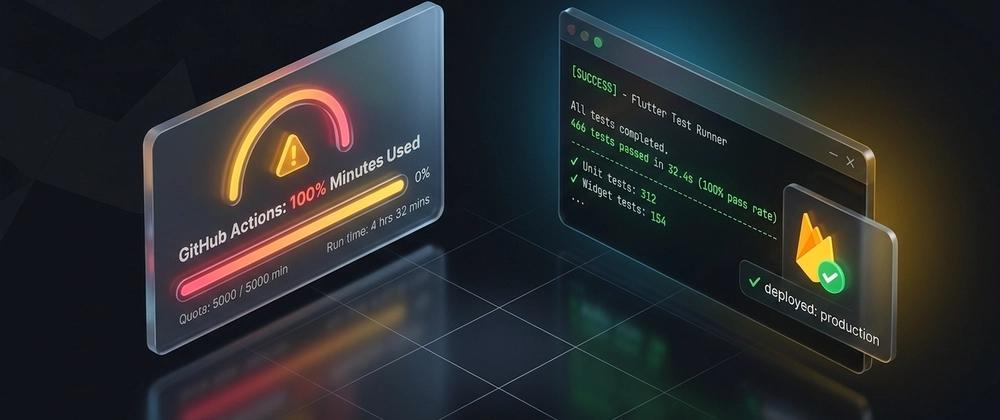
On October 18, right in the middle of shipping a multi-feature audit and a supplement tracker redesign on my personal life_os_app (my daily Flutter Web + Cloud Firestore operating board), GitHub Actions stopped scheduling jobs. The billing meter for my personal account's hosted runner minutes had hit 100%.
Look at what my .github/workflows/ci.yml and deploy-live.yml were doing on every push and pull request:
- Spinning up an
ubuntu-latestVM. - Pulling the Flutter SDK and warming the Pub cache (~90s).
- Installing Python 3 and running 68 CLI sync unit tests (~15s).
- Running
flutter analyzeand 466 widget and accessibility tests (~110s). - Compiling
flutter build web --release --no-web-resources-cdn(~140s). - Authenticating via Workload Identity Federation (
google-github-actions/auth@v2) and deploying to Firebase Hosting targetboard(~35s).
That is 6.5 minutes per PR push and another 4 minutes on merge to main. Across 70+ PRs in October, a single-developer personal project burned through thousands of CI minutes doing work my local Apple Silicon MacBook finishes in under 30 seconds.
When your CI budget hits zero on a personal repo, the tempting fix is to move everything to your laptop, deploys included. I did exactly that when the budget ran out, and it taught me where the line belongs: verification moves to the laptop, the deploy stays in CI, and CI runs only when I ask it to.
Here is the exact architecture I use to keep life_os_app shipping to Firebase Hosting and Cloud Firestore while spending Actions minutes only on the builds that actually go live.
Architecture: The Three-Layer Local Verification Gate
Taking verification off the runners only works if nothing unverified ever reaches a deploy. In life_os_app, the application state is split across two runtimes:
-
Python 3.14 CLI Sync Tools (
tool/board_*.py): Morning and evening scripts that pull from Apple Reminders, Google Calendar, Harvest, Notion, and GCP Billing, then write structured JSON documents into Cloud Firestore over REST. -
Flutter Web Client (
lib/): A Riverpod 3 + Material 3 multi-skin web app served from Firebase Hosting with a custom offline Service Worker (web/offline-sw.js).
Layer 1: Firestore Schema Validation Before Every REST Write
One of the biggest risks of running CLI sync tools outside a container is accidentally clobbering fields that the Flutter Web client writes directly from the browser. For example, on the Events and Admin tabs, I tick tasks directly in the UI (config/events.taskTicks and config/admin.done), while tool/board_events.py and tool/board_admin.py sync metadata from Notion and GCP Billing.
To prevent a CLI run from wiping browser taps, tool/board_firestore.py enforces two rules before any HTTP PATCH leaves the machine:
-
Explicit schema validation on every collection (
dayPlans,stats,config,finance,plan). -
Field-level update masks (
?updateMask.fieldPaths=...) plus hard blocks against overwriting client-owned map keys:
# tool/board_firestore.py
if path == "config/events" and "taskTicks" in data and not fields:
    raise SystemExit(
        "refusing to overwrite config/events.taskTicks without --fields; "
        "pass --fields updated,source,events"
    )
if path == "config/admin" and "done" in data and not fields:
    raise SystemExit(
        "refusing to overwrite config/admin.done without --fields"
    )
In addition, caching the gcloud auth print-access-token call with @functools.lru_cache(maxsize=1) and enforcing a 15-second socket timeout cut multi-document Firestore sync latency by 80% and eliminated hanging background processes when switching Wi-Fi networks.
Layer 2: Per-Document Decode Isolation in Flutter Streams
In Cloud Firestore, a single malformed field inside one historical document in a collection query (collection('dayPlans').snapshots()) will normally throw a FormatException or TypeError inside .map(), killing the entire StreamProvider and replacing your UI with an error state.
During my audit pass, I hardened every repository to isolate decoding per document:
// lib/features/day_board/data/board_repository.dart
List<T> _decodeEach<T>(
  QuerySnapshot<JsonMap> query,
  T Function(JsonMap data, String id) decode,
) {
  final results = <T>[];
  for (final doc in query.docs) {
    try {
      results.add(decode(doc.data(), doc.id));
    } on Object catch (error, stackTrace) {
      developer.log(
        'Skipping malformed document ${doc.reference.path}',
        name: 'day_board.repository',
        error: error,
        stackTrace: stackTrace,
      );
    }
  }
  return results;
}
When saving multi-day edits (such as editing 7 days of focus blocks and habit notes in the This Week sheet), replacing 14 sequential await set() calls with a single atomic WriteBatch (saveWeekEditsBatch) eliminated partial-save race conditions on flaky mobile connections.
Layer 3: Self-Contained Web Bundles (--no-web-resources-cdn) & Service Worker Cleanup
When deploying Flutter Web to Firebase Hosting for daily use on iPhone, iPad, and desktop, CDN font/CanvasKit fetches can stall on airplane or train Wi-Fi. Building with --no-web-resources-cdn bundles CanvasKit and font assets directly into build/web/, paired with a custom web/offline-sw.js that races network against a 3.5-second timeout before falling back to cache:
// web/offline-sw.js
function networkFirst(request, timeoutMs) {
  return new Promise((resolve, reject) => {
    const timer = setTimeout(() => reject(new Error('timeout')), timeoutMs);
    fetch(request)
      .then((response) => {
        if (response && response.ok) {
          caches.open(CACHE).then((cache) => cache.put(request, response.clone()));
        }
        resolve(response);
      })
      .catch(reject)
      .finally(() => clearTimeout(timer));
  }).catch(() => caches.match(request));
}
Notice the .finally(() => clearTimeout(timer)) cleanup: without it, every fast network response leaves an orphan timer running until timeoutMs expires.
The Deploy Stays in CI, on Demand
While Actions was out of minutes, I shipped with firebase deploy --only hosting:board straight from my Mac, every time after running the full gate locally. It worked, and it stayed an emergency exit, not the new normal.
The reason is one file. lib/firebase_options.dart is gitignored: the real web config lives in the FIREBASE_OPTIONS_DART repository secret, and the deploy workflows write it into the checkout right before flutter build web. A local build depends on whatever copy of that file happens to sit on your disk. If it is stale or points at the wrong app, the bundle still builds and deploys, and Firebase web initialisation breaks for everyone who opens the board.
So the rule is: the laptop proves the code is good, CI builds and ships it. What changed is when CI runs:
# .github/workflows/ci.yml: pull requests only, docs and handoffs never trigger it
on:
  pull_request:
    paths-ignore: ['handoffs/**', 'my_life/**', 'docs/**', 'reviews/**', 'archive/**', '*.md']

# .github/workflows/deploy-staging.yml: by hand, any branch, to the staging site
on:
  workflow_dispatch:
    inputs:
      ref: { description: Branch or commit to deploy, required: true, default: main }

# .github/workflows/deploy-live.yml: by hand, or a [deploy] marker in a commit on main
on:
  push:
    branches: [main]
  workflow_dispatch:
Plus a ~/.pub-cache cache keyed on pubspec.lock, cancel-in-progress on CI so a new push kills the stale run, and the Firestore rules emulator job gated to changes in firestore.rules or tool/**.
The minutes math changes completely. Before: about 6.5 minutes on every PR push and 4 more on every merge. Now: the local gate runs on every change for free, and Actions spends one build-and-deploy when I decide a batch of work is ready, usually once in the evening after I have tried it on staging.
Benchmarking: Cloud CI vs. Local Verification Gate
| Stage | GitHub Actions (ubuntu-latest) |
Local Apple Silicon Gate | Improvement |
|---|---|---|---|
Python CLI Unit Tests (68 tests) |
14.2s (with setup) | 0.02s | 710x faster |
Dart Format + Analyze + 466 Flutter tests
|
118.0s | 14.5s | 8.1x faster |
flutter build web --release --no-web-resources-cdn |
142.0s | 14.8s | 9.6x faster |
| Total Wall-Clock Time | ~4m 34s (plus SDK cache) | ~29.3s | ~9.4x faster, $0 CI cost |
The deploy itself is not in the table on purpose: it runs in the workflow, once per release, not once per push.
Key Takeaways for Flutter & Firebase Engineers
-
Keep CI YAML for PRs when budget allows, but make your local gate identical. A single local command (
dart format -l 120 lib/ test/ && flutter analyze && python3 -m unittest discover -s tool -p '*_test.py' && flutter test) guarantees parity before you trigger a deploy. -
Verify locally, deploy from CI, and trigger deploys by hand. Secrets such as
firebase_options.dartstay in one place, every live build is reproducible from a commit, and you pay runner minutes per release instead of per push. -
Use Firebase Hosting multi-site targets (
hosting:board,hosting:staging). Mapping targets in.firebaserclets you try a branch on staging, then promote to live, without touching sibling sites on the same GCP project. -
Never let one bad Firestore document take down a collection stream. Wrap per-document
.fromJson()calls inside a helper that logs todart:developerand skips the corrupted record. -
Test accessibility contrast and 44pt tap targets in
flutter test, not in production. RunningtextContrastGuidelineandandroidTapTargetGuidelinewithGoogleFonts.config.allowRuntimeFetching = falsecatches neon text shadow contrast drops and 32pt icons in milliseconds.
The complete local gate in one command (the release build is in it, so a broken web build never reaches a workflow):
dart format -l 120 lib/ test/ && \
  flutter analyze && \
  python3 -m unittest discover -s tool -p '*_test.py' && \
  flutter test && \
  flutter build web --release --no-web-resources-cdn
Then ship from CI, staging first:
gh workflow run "Deploy staging" -f ref=main
And once it looks right on your phone, live:
gh workflow run "Deploy live"