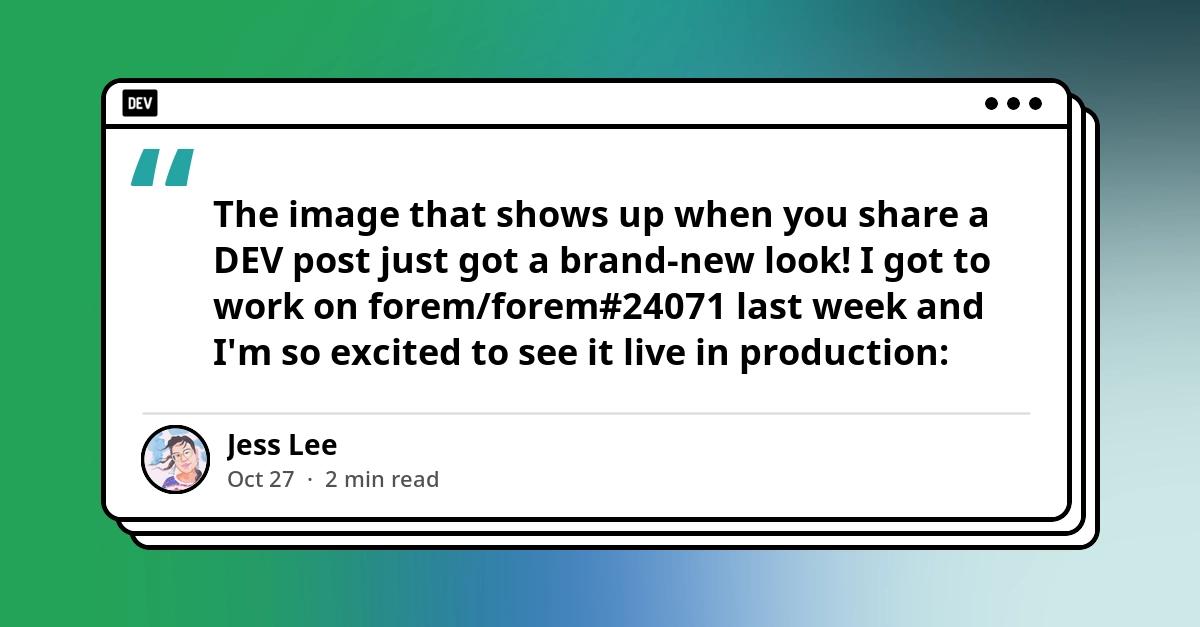
The image that shows up when you share a DEV post just got a brand-new look!
I got to work on forem/forem#24071 last week and I'm so excited to see it live in production:
 Redesign generated social images as quote cards that work on X and LinkedIn
#24071
Redesign generated social images as quote cards that work on X and LinkedIn
#24071

- [ ] Refactor
- [x] Feature
- [x] Bug Fix
- [x] Optimization
- [ ] Documentation Update
Articles without a cover image get a generated share image (articles.social_image). In the last 30 days on DEV, that was 73% of published posts. The old card had two problems:
- It repeated the title. X, LinkedIn and Slack already show the title as text next to the image.
- X's title label covered the byline. X overlays the post title in a dark label inset at the bottom-left of link cards, right on top of the author's name and date.
New design: the card quotes the opening of the post inside a browser-window frame over a soft mesh gradient. A byline row shows the avatar, name, date and reading time, and the community's horizontal header logo (Settings::General.resized_logo, falling back to logo_png) sits in the window's title bar.
One image for every platform: the card is sized so its top and bottom margins both equal X's 80px keep-clear zone.
- X's title label covers only the gradient.
- The card is vertically centered where nothing is overlaid (LinkedIn, Slack, iMessage, …).
- A spec enforces both. No schema change and no view change.
Quote (Images::SocialImageQuote):
- Uses top-level opening paragraphs. Skips paragraphs that are entirely italic (challenge "This is a submission for…" intros), paragraphs that repeat the title, and headings, code, images and blockquotes. Blockquotes usually quote someone else, and the card attributes the text to the author.
- Joins short paragraphs until there are at least 80 characters, then cuts at the last sentence end within 180 characters, or at a word with "…".
- Falls back to the title when the post has no usable paragraph.
Colors:
- The author's brand color (
brand_color1, or the organization'sbg_color_hex) becomes an analogous palette. - Otherwise one of four Forem gradient palettes is chosen from the article ID, so cards vary. Only about 6% of authors with coverless posts set a brand color.
Regeneration: in addition to title, publish date and author (#24063), Article#generate_social_image now also fires when:
- the reading time changes,
- a body edit changes the quote. Old and new quotes are compared, so edits further down the post don't re-render.
-
Text escaping: user text is now rendered with
label:/caption:and escaped, never with-draw text.- Through MiniMagick,
-drawruns in mogrify, which takes the escapes literally. A name like@jessor50%showed\@jess/50\%on today's cards. - In
caption:/label:, an unescaped leading@makes ImageMagick read a file into the image. This was verified locally, and a spec covers it.
- Through MiniMagick,
-
Stylized Unicode names: names such as
𝐓𝐡𝐞 𝐋𝐚𝐳𝐲 𝐆𝐢𝐫𝐥rendered blank (Noto Sans has no math-alphanumeric glyphs). They're now NFKC-normalized. Emoji are dropped from the name and quote for the same reason. -
Fonts:
font/fillare set before each draw. Previously they came after thedrawcalls, so the date had no font set. -
Wrapping uses real glyph widths (
caption:plus a shrink-to-fit loop) instead of character-count heuristics.
- About 1–2s per article on my machine.
- Intermediate steps use uncompressed MIFF, so PNG is encoded once. Per-step PNG encoding was the bottleneck.
- The gradient is drawn at 400×209 and scaled up.
- Output is 8-bit RGB PNG, about 100KB.
- No external services or AI are involved; it's ImageMagick only.
Production runs ImageMagick 6 (Debian bullseye), so the generator sticks to IM6-compatible operations: xc:, simple draws, blur, resize, caption:/label:, Over compositing, and the existing rounded_mask.png for avatars.
- Builds on forem/forem#24063 (regenerates the image when an article's author changes), which is merged into this branch. Its author-change trigger is kept.
- Publish a post without a cover image and let
Images::SocialImageWorkerrun. Checkarticle.social_image. - Paste the post URL into X's composer and into LinkedIn's post preview. The quote and byline should be fully visible on both, with X's title label over the gradient only.
- Edit the first paragraph → the image regenerates. Edit only a later paragraph (same reading time) → no regeneration.
Simulated X and LinkedIn link-card previews. Each post is rendered with today's generator and with this PR's generator. The X frame follows X's current layout (the title label inset at the bottom-left) and was checked against a real X post. The long-title example also shows a bug in today's card: long titles run off the right edge.


The design was reviewed an
d signed off by @jessleenyc.
Known limitation (pre-existing): Noto Sans has no CJK glyphs, so CJK text still renders as boxes, as it did in the old title-based card.
- [x] Yes
-
Images::SocialImageQuote: paragraph selection, skip rules, sentence/word cuts, Unicode cleanup, title fallback. -
Images::GenerateSocialImageMagickally: stored image for Article/User/Organization; X keep-clear and vertical centering; a real ImageMagick render at 1200×627; the@fileescaping regression; palette, accent, name and meta helpers; read_files and logo caching. -
Article#generate_social_image: quote-change, later-edit and reading-time triggers.
-
Local test status: the DB-free SocialImageQuote examples pass, and real renders were checked locally on ImageMagick 7. The DB-backed specs rely on CI, because the current schema needs pgvector, which my local Postgres lacks. CI also exercises the real-render spec on ImageMagick 6.
None. No migration, and no backfill: existing images update when a post's title, date, author, reading time or opening changes.
Meet the new card

Every post now gets a quote card. It pulls the opening of your post and sets it inside a little browser-window frame over a gradient. Below that sits your profile pic, name, publish date, and reading time.
Most places that unfurl a link already show its title, so I wanted to remove the redundancy. It shows the first lines of your post instead. That's where your voice is, and now it's the first thing people see when your post is shared!
Color comes from your profile's brand color if you've set one. If not, the card uses one of our four palettes, so a page full of shared posts feels varied and bright.
One image, everywhere
There's one image, and it unfurls anywhere your link gets shared. It's sized with roomy top and bottom margins, so even when a platform (ahem, X) lays its own label over the image, your name and details stay clear.
A few extra touches
While we were in there, we polished a few more things:
- Names with
@or%display cleanly, without stray backslashes. - Names in stylized Unicode (𝓯𝓪𝓷𝓬𝔂 𝓽𝓮𝔁𝓽 like this) render properly.
- The image refreshes when your reading time or opening quote changes, so it stays current after you edit.
Thank you to Ben for the review and merge!
A little history
Back in 2018, Ben wrote about how DEV generated social images in the first place:


In August 2023, Ben moved generation in-house with ImageMagick (#19949). It was a great cost savings to host every post's card ourselves, on our own infrastructure, instead of handing it to a third-party service. Everything in this redesign builds on that foundation.
Go see yours
Share one of your posts (without a cover image) and take a look at your new card. Tag us (@thepracticaldev) or me (@jessleenyc) on X so I can admire it. If anything looks off, like a name that renders strangely or a quote that cuts off in a weird spot, let me know in the comments!